
Blog
Why Your LSA Leads Suddenly Stopped (And How to Restart Them)
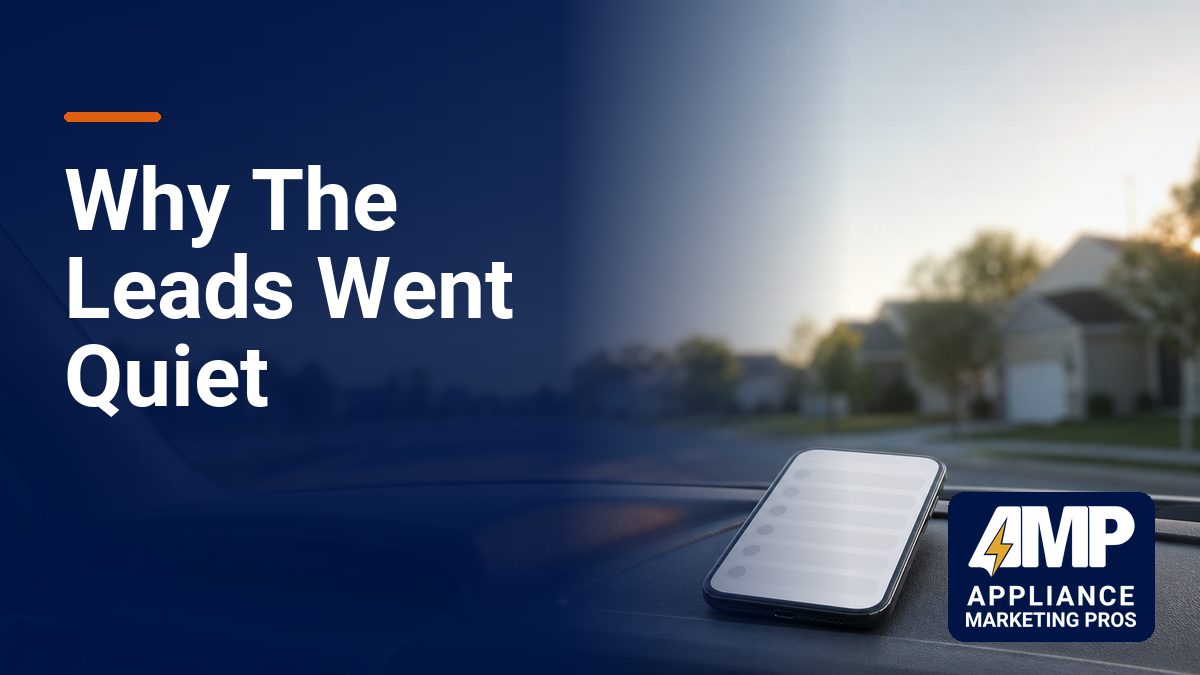
You’ve been running Google Local Services Ads for your appliance repair business. Leads were coming in. Your phone was ringing. Jobs were getting booked.
Then it stopped.
No warning. No notification from Google. Just silence.
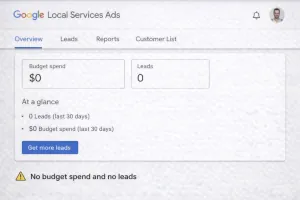
Your budget sits there, barely touched. Your competitors are still getting calls. And you’re left wondering what the hell happened.
This isn’t rare. It happens to appliance repair companies every single week, and most of them never figure out why. They either give up on LSA entirely or waste weeks trying random fixes that don’t work.
Here’s the truth: Google Local Services Ads operates on a trust and performance system. When something breaks that trust or signals poor performance, Google quietly reduces or stops sending you leads. The platform doesn’t explain what went wrong. It just moves on to the next provider.
This guide will walk you through exactly why LSA leads stop flowing and the specific steps to diagnose and restart them. These aren’t guesses. This is what actually happens when we audit LSA accounts for appliance repair businesses across the country.
The Core Problem: LSA Isn’t Like Regular Google Ads
Before we dig into solutions, you need to understand how LSA actually works.
With regular Google Ads, you pay per click. Google doesn’t care if you answer the phone or provide good service. You clicked, you paid, done.
LSA is pay-per-lead. You only pay when someone contacts you through the platform. That sounds great, but it comes with a catch.
Google is now responsible for the quality of that connection. If customers complain, don’t get responses, or have bad experiences, it reflects poorly on Google’s platform. So Google monitors your performance constantly and adjusts your lead allocation based on how well you’re doing.
Think of it like this: Google is the dispatcher, and you’re the contractor. If you keep missing calls, showing up late, or getting complaints, the dispatcher stops sending you jobs. They’ll send them to someone more reliable instead.
That’s why your leads can stop suddenly. You crossed a threshold that triggered Google’s algorithm to deprioritize or pause your account.
Why LSA Leads Stop: The Real Reasons
Let’s break down the actual causes we see when appliance repair companies lose their LSA lead flow.
Your Verification Status Changed
This is the number one reason LSA leads stop cold.
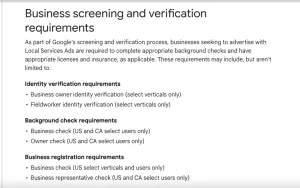
Google requires you to maintain current verification documents. For appliance repair businesses, that typically means:
- Business license
- General liability insurance
- Workers’ compensation insurance (if you have employees)
- Background checks for anyone who goes to customer homes
If any of these expire, Google doesn’t send you a friendly reminder. Your account just stops getting leads.
We’ve seen this happen to companies that had insurance renew with a new policy number. The old document expired in Google’s system, and leads stopped immediately. The business owner had no idea until they logged into the LSA dashboard and saw a verification warning.
Here’s what makes it worse: even if you upload new documents right away, Google’s review process can take 3 to 7 business days. During that time, you’re getting zero leads while your competitors are getting all of them.
Your Response Rate Dropped
Google tracks how quickly you respond to LSA inquiries. This includes:
- Phone calls (did you answer live or did it go to voicemail?)
- Messages sent through the platform
- Booking requests
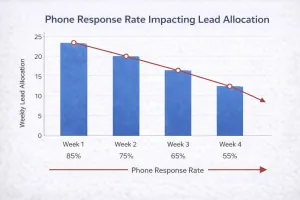
If your answer rate drops below Google’s threshold, your lead allocation gets cut. The platform prioritizes businesses that respond fast and consistently.
This catches a lot of appliance repair owners off guard. Maybe you were out on a long job and missed a few calls. Maybe your phone system had issues for a day. Maybe you went on vacation and forgot to pause your LSA account.
Google doesn’t care about the reason. It just sees that customers tried to reach you and couldn’t, so it sends the next lead to someone else.
The worst part? Once your response rate drops, it creates a spiral. You get fewer leads, which means fewer opportunities to improve your response rate, which means even fewer leads.
You Got Disputes or Negative Reviews
LSA has a dispute system where customers can challenge charges if they feel the lead was invalid or the service was poor.
If you start getting disputes, Google takes notice. Too many disputes signal that either:
- You’re not providing good service
- You’re getting leads that aren’t a good fit
- There’s a mismatch between what customers expect and what you deliver
The same goes for reviews. Google looks at your overall review score and recent review velocity. If you have a 4.8-star rating but suddenly get three 1-star reviews in two weeks, that’s a red flag.
We’ve seen appliance repair companies lose 80% of their LSA leads after a single bad week of customer disputes. Google’s algorithm moves fast when it detects quality issues.
Your Service Area or Categories Changed
Sometimes the problem isn’t performance. It’s configuration.
If you recently adjusted your service area, you might have accidentally excluded high-volume zip codes. Or maybe you removed a service category that was driving most of your leads.
This happens more than you’d think. An owner tries to “optimize” their LSA settings by narrowing their service area to reduce drive time. They don’t realize that 60% of their leads were coming from the zones they just removed.
Another common mistake: disabling certain appliance types because you’re busy. You turn off refrigerator repair leads for a week, and when you turn them back on, Google has already reallocated that lead volume to competitors. It doesn’t just flip back on like a switch.
Budget or Bid Issues
LSA doesn’t work on manual bids like Google Ads, but your weekly budget still matters.
If your budget is too low for your market, Google won’t send you leads. The platform prioritizes businesses that signal they’re serious and ready to handle volume.
We’ve seen this with appliance repair companies that set a $200 weekly budget in competitive markets like Phoenix or Atlanta. Google sees that budget as a signal that you’re not committed, so it allocates leads to competitors with $800 or $1,200 weekly budgets instead.
The other issue: if you hit your weekly budget cap early in the week, you go dark for the rest of the week. Leads stop. By the time your budget resets the following Monday, Google’s algorithm has already shifted lead distribution patterns.
Account Suspension or Policy Violation
This is the worst-case scenario, but it happens.
Google can suspend your LSA account for policy violations, including:
- Misrepresenting your services
- Operating outside your verified service area
- Asking customers to pay outside the platform (if using LSA booking features)
- Receiving too many spam or invalid lead reports
If your account gets suspended, you’ll see a notification in your dashboard. But sometimes the suspension is partial. You’re not fully shut down, but your lead volume drops to almost nothing while Google investigates.
Policy violations are hard to reverse. Even if you fix the issue, it can take weeks to get back to normal lead flow.
Increased Competition
Sometimes your account is fine. The market just got more crowded.
LSA lead volume isn’t unlimited. If five new appliance repair companies in your area get Google Verified and start running LSA, the same pool of leads gets split more ways.
You might not have done anything wrong. There are just more competitors, and Google is distributing leads across all of them based on performance, proximity, and availability.
This is especially common in growing markets or after Google runs promotions that bring new businesses onto the platform.
How to Diagnose Why Your LSA Leads Suddenly Stopped
You can’t fix the problem until you know what’s broken. Here’s the step-by-step process to diagnose your LSA account.
Step 1: Check Your Verification Status
Log into your Local Services Ads dashboard. Look for any warnings or alerts at the top of the screen.
Go to your profile settings and review:
- Business license expiration date
- Insurance documents (general liability, workers’ comp)
- Background check status
If anything is expired or pending review, that’s your problem. Upload updated documents immediately and contact Google LSA support to expedite the review.
Step 2: Review Your Performance Metrics
In the LSA dashboard, go to the Performance section. Look at:
- Total leads received (last 7 days vs. previous period)
- Phone responsiveness score
- Message response time
- Disputes filed against you
If your phone responsiveness dropped below 80%, that’s likely why leads stopped. Same if you have multiple recent disputes.
Step 3: Check Your Service Area and Categories
Go to your profile settings and review:
- Service area coverage (are all your target zip codes still included?)
- Service categories (did you accidentally disable a high-volume repair type?)
Compare your current settings to what they were when leads were flowing. Any changes could be the cause.
Step 4: Analyze Your Budget and Spend
Look at your weekly budgetand actual spend over the last month.
If your budget is getting fully spent early in the week, you’re capping out. If your budget isn’t being spent at all, that’s a signal that Google isn’t sending you leads for other reasons.
Step 5: Review Recent Reviews and Disputes
Check your Google Business Profile for any recent negative reviews. Then check your LSA dashboard for disputes.
If you had a badcustomer experience recently, that could have triggered the drop in leads.
Step 6: Search for Your Own Services
Open an incognito browser window and search for your services in your target area (for example, “appliance repair near me” or “refrigerator repair Phoenix”).
Do you show up in the Local Services Ads section at the top? If not, your account is either suspended, deprioritized, or your service area doesn’t cover the location you searched from.
How to Restart Your LSA Lead Flow
Once you’ve identified the problem, here’s how to fix it.
If Verification Expired
Upload new documents immediately. Then contact Google LSA support through the dashboard and request expedited review. Be polite but persistent.
While you wait, consider running Google Ads search campaigns to keep leads coming in. LSA shouldn’t be your only lead source.
If Response Rate Dropped
This is fixable, but it takes time.
First, make sure you can actually answer calls. If you’re out on jobs all day, you need a system:
- Hire a part-time phone answering person
- Use a professional answering service that can book appointments
- Set up call forwarding to a team member who can answer
For messages, turn on notifications so you respond within minutes, not hours.
Once your systems are in place, you need to rebuild your response rate. Answer every single call and message immediately. It might take 2 to 4 weeks of perfect performance before Google starts sending you more leads again.
If You Got Disputes or Bad Reviews
You can’t delete disputes, but you can respond to them professionally in the LSA dashboard. Explain what happened and what you did to resolve it.
For bad reviews, respond publicly and try to resolve the issue offline. Then focus on getting new positive reviews to dilute the negative ones.
Google’s algorithm looks at trends. If you had a bad week but then get 10 great reviews over the next month, your lead flow will recover.
If Service Area or Budget Is the Issue
Expand your service area back to where it was, or add adjacent zip codes. Don’t narrow your reach unless you’re genuinely overwhelmed with work.
For budget, increase your weekly cap by 50% to 100% and monitor for a week. If leads start flowing again, you found the problem.
If Competition Increased
You can’t control how many competitors enter the market, but you can outperform them.
Focus on:
- Maintaining a higher response rate
- Getting more reviews faster
- Keeping your verification and profile 100% current
- Expanding your service categories (add more appliance types if you can handle them)
Google rewards the most reliable, responsive providers. If you consistently outperform competitors, you’ll get more of the lead volume.
If You’re Suspended
Contact Google LSA support immediately. Ask for specific details about the violation and what you need to do to resolve it.
If the suspension was a mistake, provide documentation proving you’re compliant. If it was legitimate, fix the issue and submit an appeal.
Suspensions are serious. Don’t ignore them.
Preventing Future LSA Lead Drops
Once you’ve restarted your lead flow, here’s how to keep it consistent.
Set Up Monitoring Systems
Check your LSA dashboard at least twice a week. Look for:
- Changes in lead volume
- Drops in response rate
- New disputes or reviews
Catching problems early means you can fix them before they kill your lead flow.
Keep Verification Documents Current
Put reminders in your calendar 30 days before your insurance or licenses expire. Upload new documents before the old ones lapse.
Maintain High Responsiveness
This is non-negotiable. If you can’t answer your phone consistently, you shouldn’t be running LSA.
Invest in systems that ensure every call gets answered live and every message gets a response within 10 minutes.
Build a Review Generation System
Don’t wait for customers to leave reviews. Ask for them after every successful job.
The more positive reviews you get, the more insulated you are against occasional negative feedback.
Don’t Rely Only on LSA
LSA should be one part of your lead generation strategy, not the whole thing.
If you’re only getting leads from LSA, you’re vulnerable. When it stops working (and it will at some point), your business stops.
Run Google Ads search campaigns alongside LSA. Invest in local SEO so your Google Business Profile ranks organically. Build multiple lead sources so no single platform can shut you down.
What to Do If You Can’t Fix It Yourself
Some LSA problems are straightforward. Others require experience with Google’s platform and how it treats appliance repair businesses specifically.
If you’ve tried the steps above and your leads still haven’t restarted, or if you don’t have time to manage this yourself, it might be time to bring in help.
At Appliance Marketing Pros, we’ve worked with appliance repair companies across the country to diagnose and fix LSA issues. We’ve seen every scenario: verification problems, response rate drops, policy violations, competitive saturation, and more.
We also know that LSA shouldn’t be your only lead source. The most successful appliance repair businesses we work with use a combination of LSA, Google Ads search campaigns, and local SEO to create predictable, consistent call volume.
If you’re tired of inconsistent leads and want a system that actually works, book a free strategy call with our team. We’ll review your LSA account, identify what’s broken, and show you exactly how to fix it.
No generic advice. No long-term contracts you don’t need. Just a clear plan to get your phone ringing again.